Table of Contents
中文
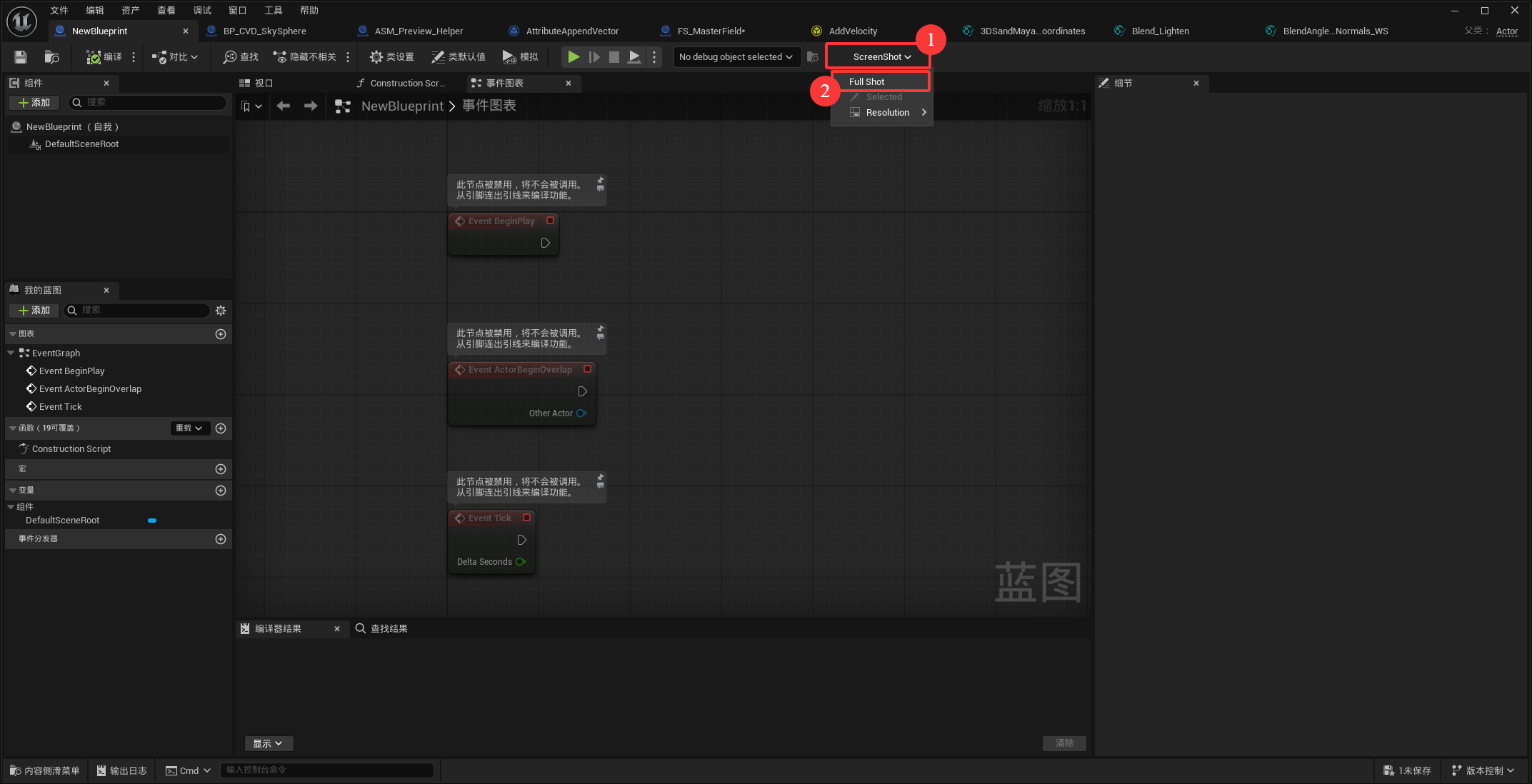
The usage is very simple. Open any graph editor, then click ScreenShot in the toolbar, and click Full Shot to take a screenshot.
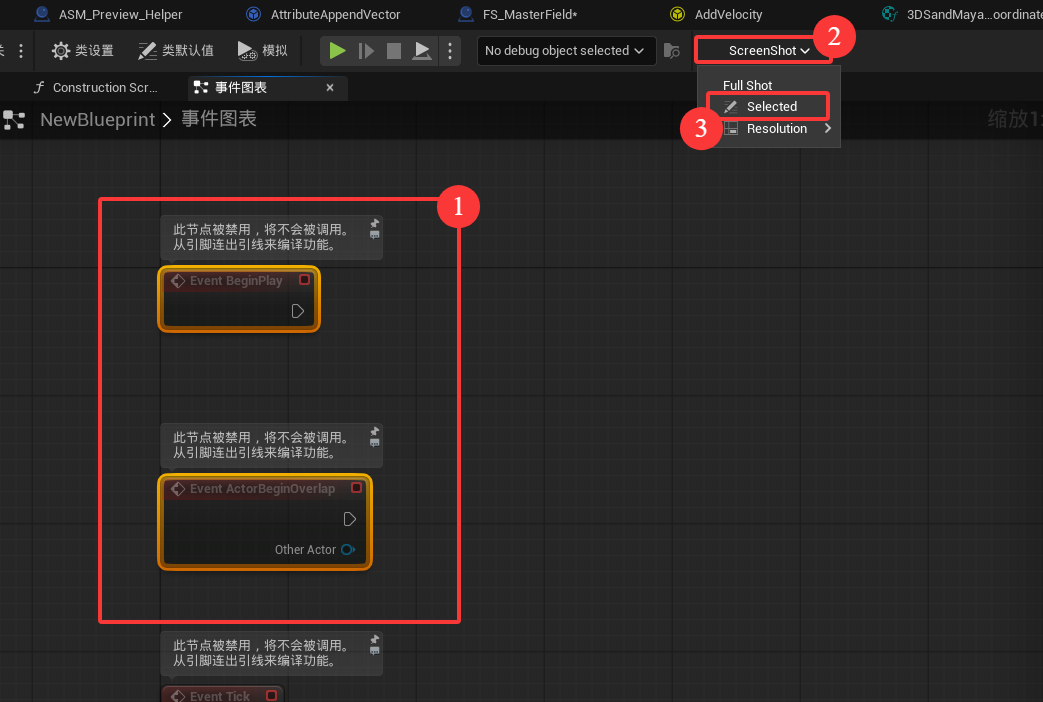
If you want to capture a specific node, select it first, then open ScreenShot from the toolbar and click Selected to capture only the selected node.
In theory, you can take screenshots of any graph, as long as it is an editor graph.